Tutorials
|
Gaussian Splatting the Pixar Campus
© Disney/Pixar
October 05, 2026
A Preview of Splatting with Houdini and RenderMan 28
Gaussian splat support is coming in RenderMan 28, scheduled for release this winter. This tutorial previews the workflow, which beta users can try today with Houdini and RenderMan.
Gaussian splats are now supported in RenderMan through their implementation in USD. For this tutorial we captured a scan of the real-world Pixar campus, featuring the Pixar ball and lamp. We scanned the physical location with the Kosmo spatial camera, so you can explore splat workflows with this physical capture of the real Pixar campus. Thanks to Kosmo for the hardware that created this scan.
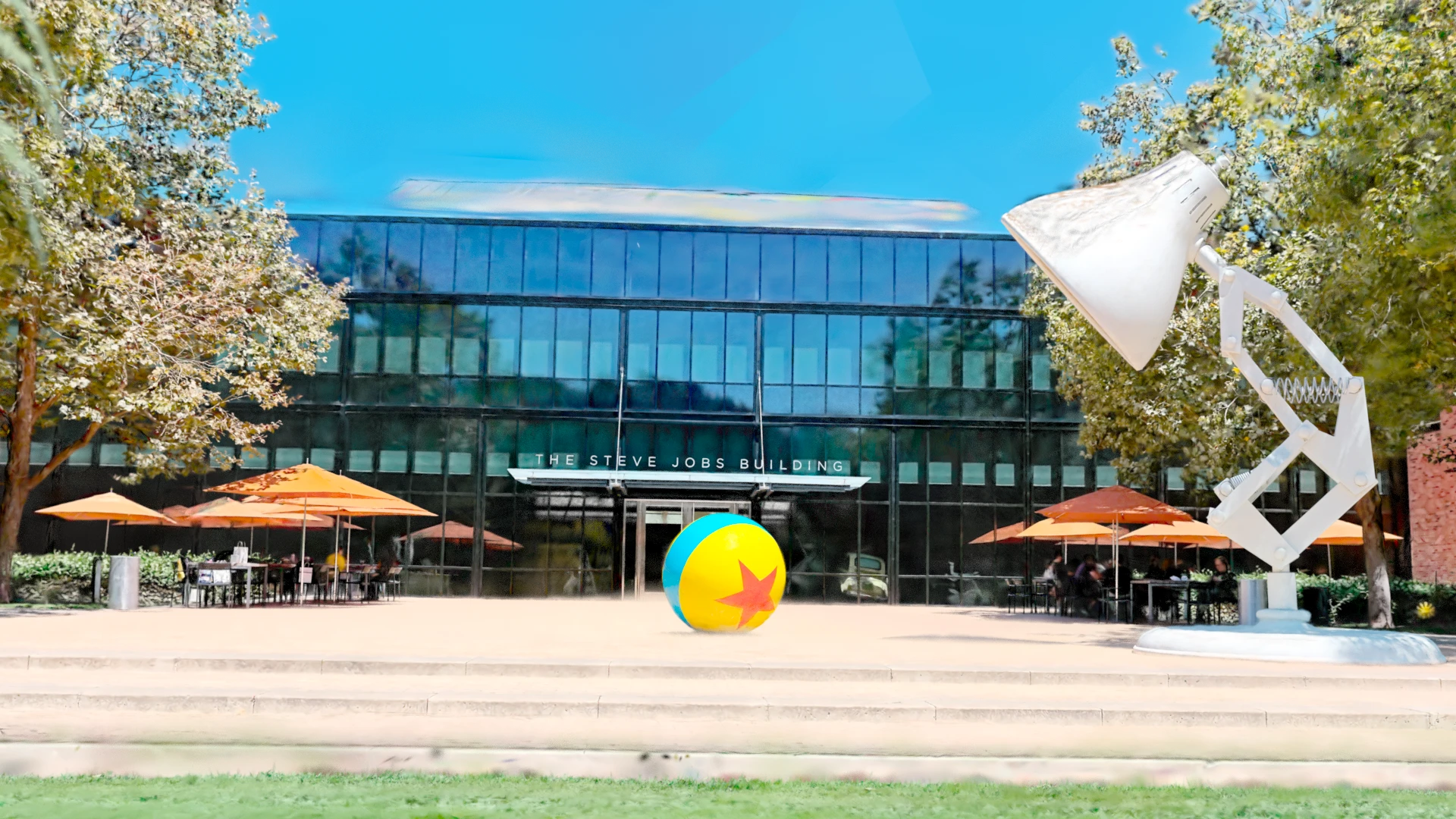
Pixar’s real-world campus rendered as a Gaussian splat
You might recognize the lamp and ball in this tutorial (wild guess). It’s captured on Pixar’s main plaza. First we’ll load the scan in Solaris, flip it upright, and render. Then we’ll use a few ordinary Houdini nodes to push the points around. The lighting and shadows are already part of the capture; this example does not relight them, although relighting splats with RenderMan is entirely possible and useful.
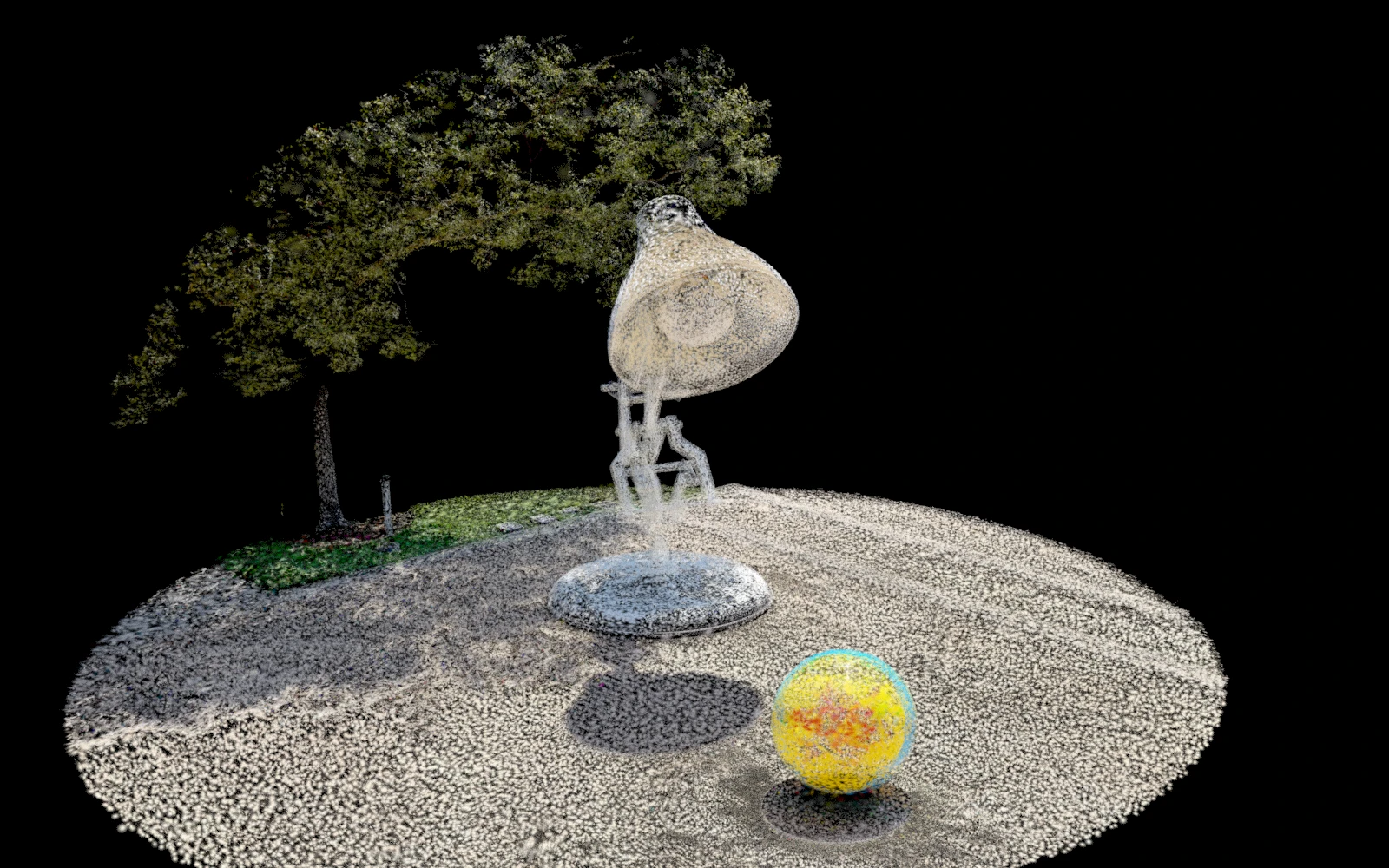
A Gaussian splat scene is composed of many overlapping ellipsoids.
This capture of Pixar’s Luxo lamp and ball represents the scene as a collection of tiny, overlapping ellipsoids, each with its own position, shape, color, and opacity. Together, they describe the objects, surrounding foliage, and even the appearance of sunlight and shadows. Here, the individual splats are visible, revealing the structure behind the reconstructed scene.
Unzip the folder and open RenderMan_Gaussian_Splats.hip. In Solaris, go to /stage, choose /cameras/main, and select RenderMan XPU - CPU.
Do you see pixels? Congratulations, you’re rendering a splat with RenderMan. Welcome to the cool club.
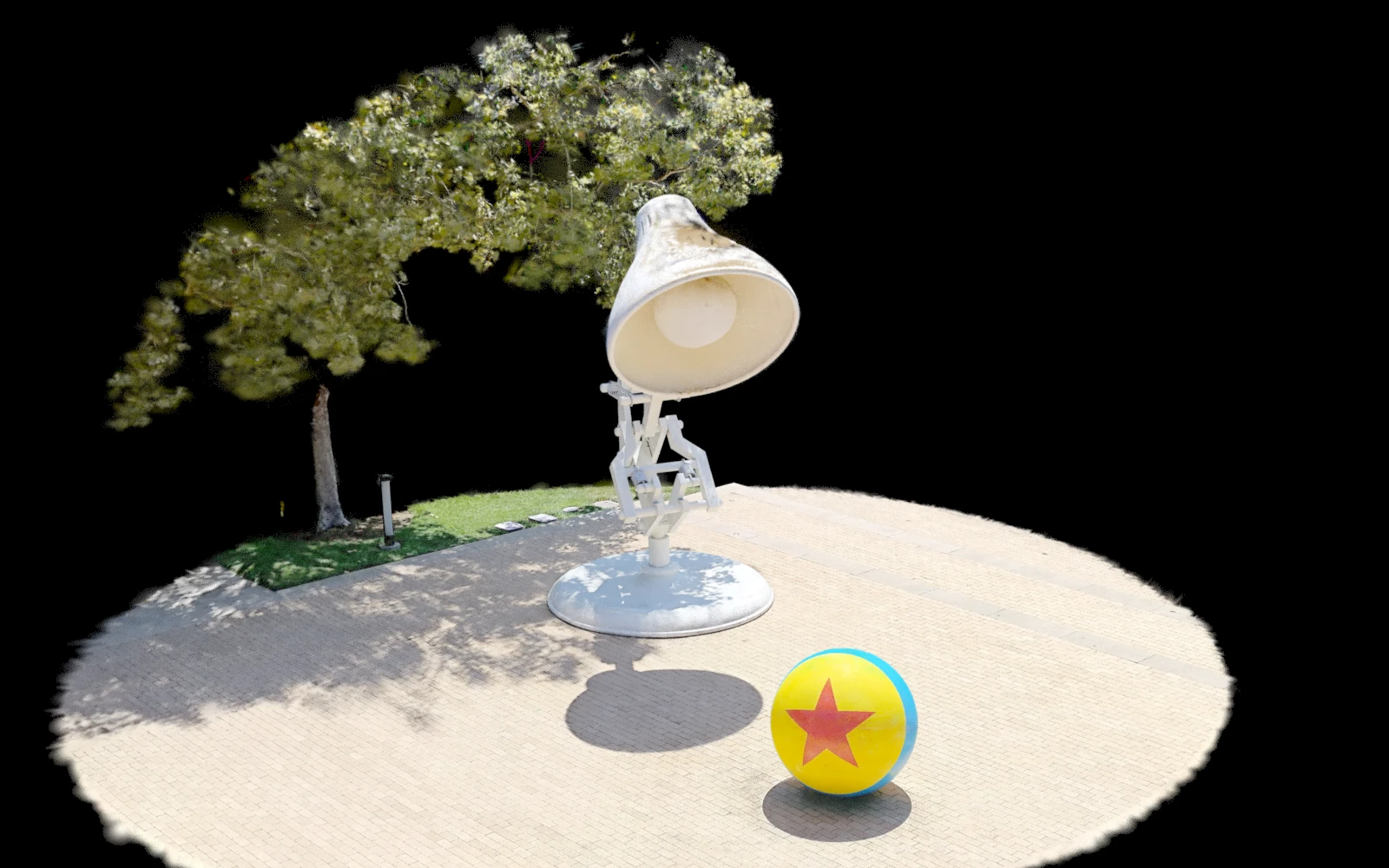
The splat’s path is $HIP/pixar-lamp-and-ball.usdc, so the HIP and USD can move together. The supplied USD is ready to render; conversion is only needed when bringing in another PLY scan.
To properly orient this data, Flip is used to rotate it 180 degrees. Then it’s translated to place the scan near the origin. These settings specifically fit this capture. Please note, another scan may need a different orientation, placement, or scale.
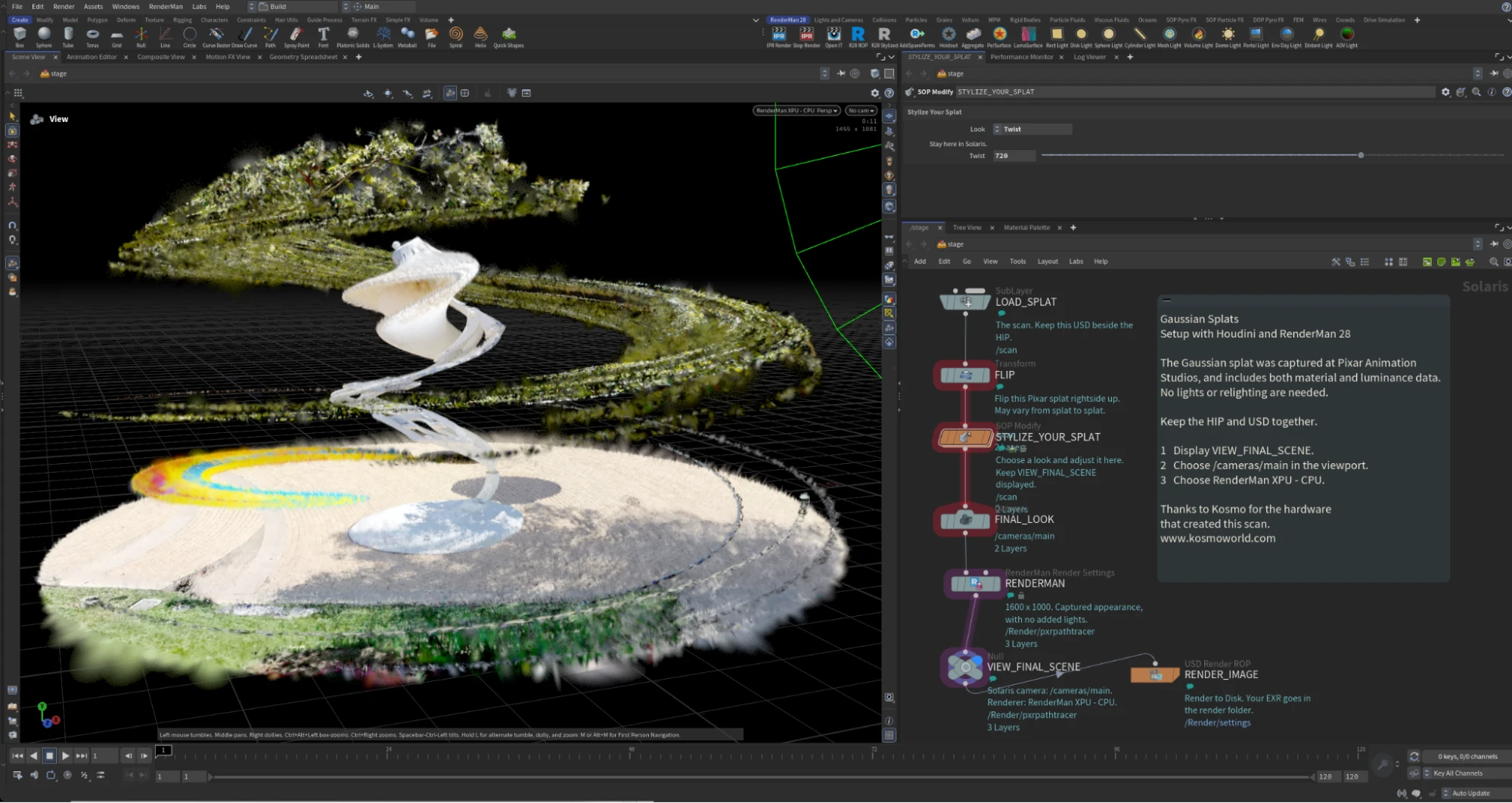
The Houdini scene with nodes for styling splats.
Because the splat is represented as point data in Houdini, familiar SOP workflows can manipulate it directly. Moving points, changing their scale, or adjusting opacity changes the rendered splats without converting the scan to polygons. Houdini and RenderMan are already designed to handle massive numbers of points, making splats a natural fit for this workflow.
Choose a Look for your splat by selecting Stylize Your Splat. Choose one of the several options. Each choice starts from the same scan, and adds wobble, twist, fade, etc. Keep the display flag on VIEW_FINAL_SCENE and stay in Solaris while adjusting.
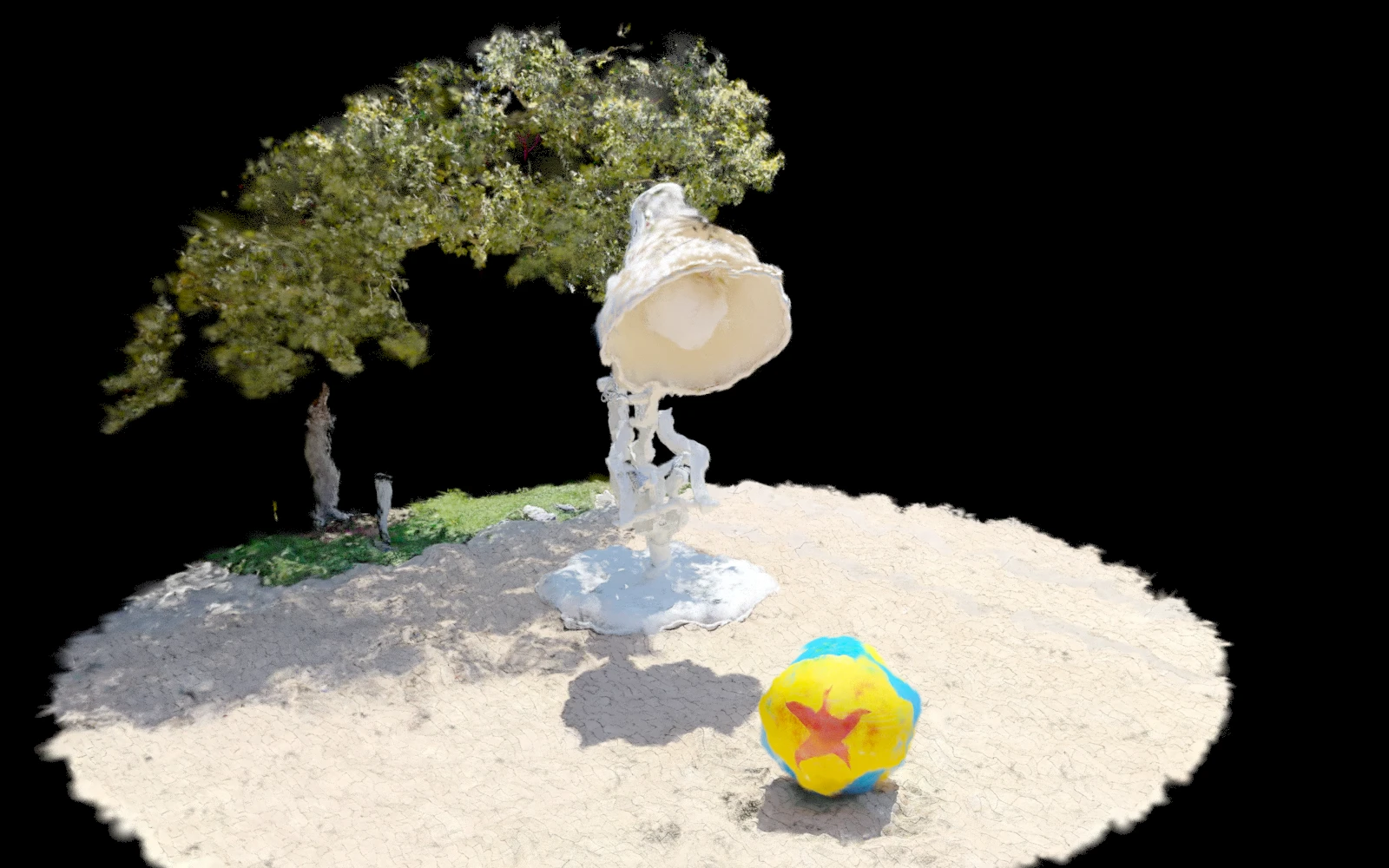
Noise pushed the points around. Feel free to adjust the wobble amount. Turn the amount down for a quieter result, or turn it up to 11. You decide.
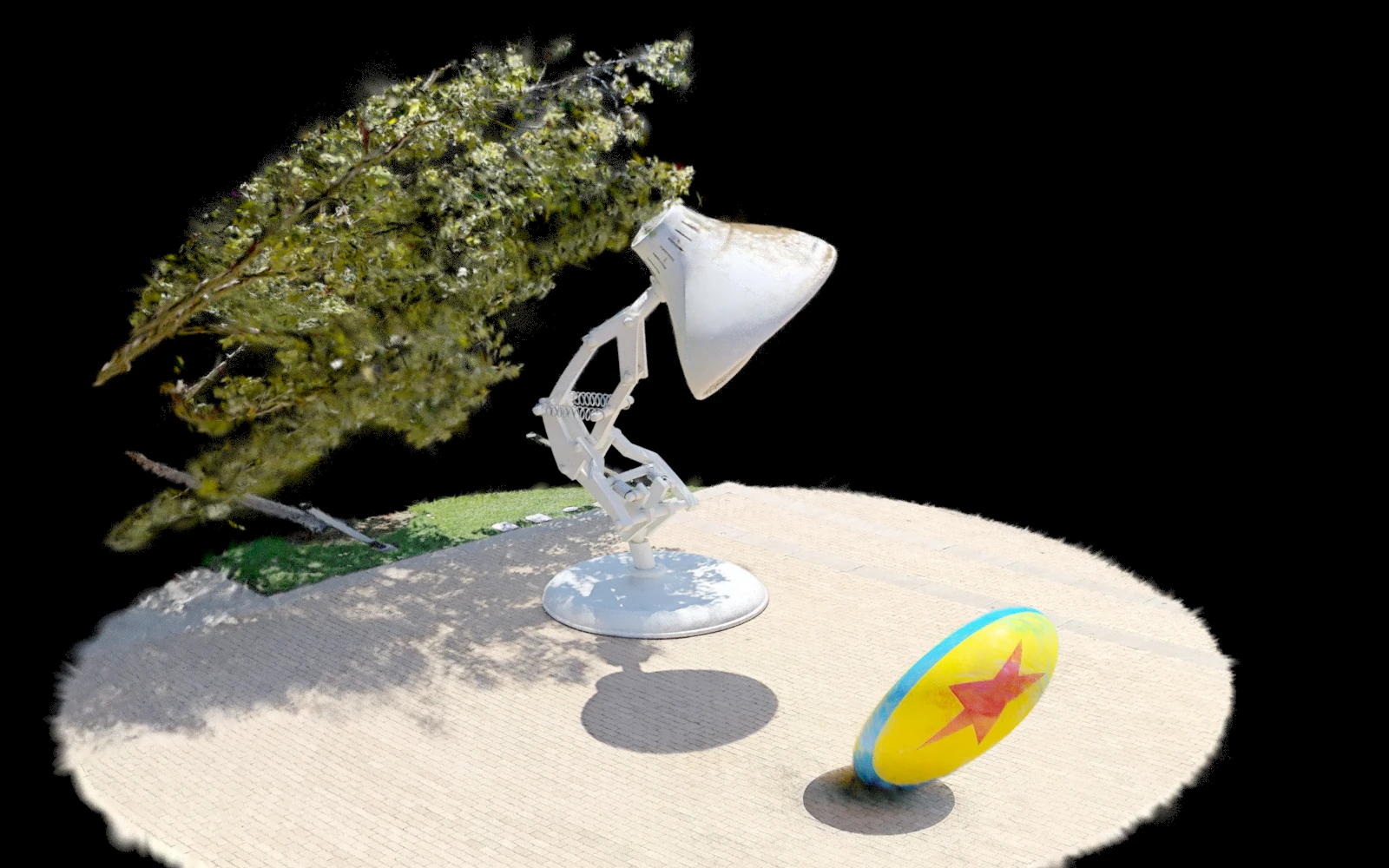
A Bend SOP turns the points through 90 degrees along Y. Adjust Twist to wind it up or unwind it. The original colors and captured shadows all get twisted. Try not to enjoy fast interactivity too much.
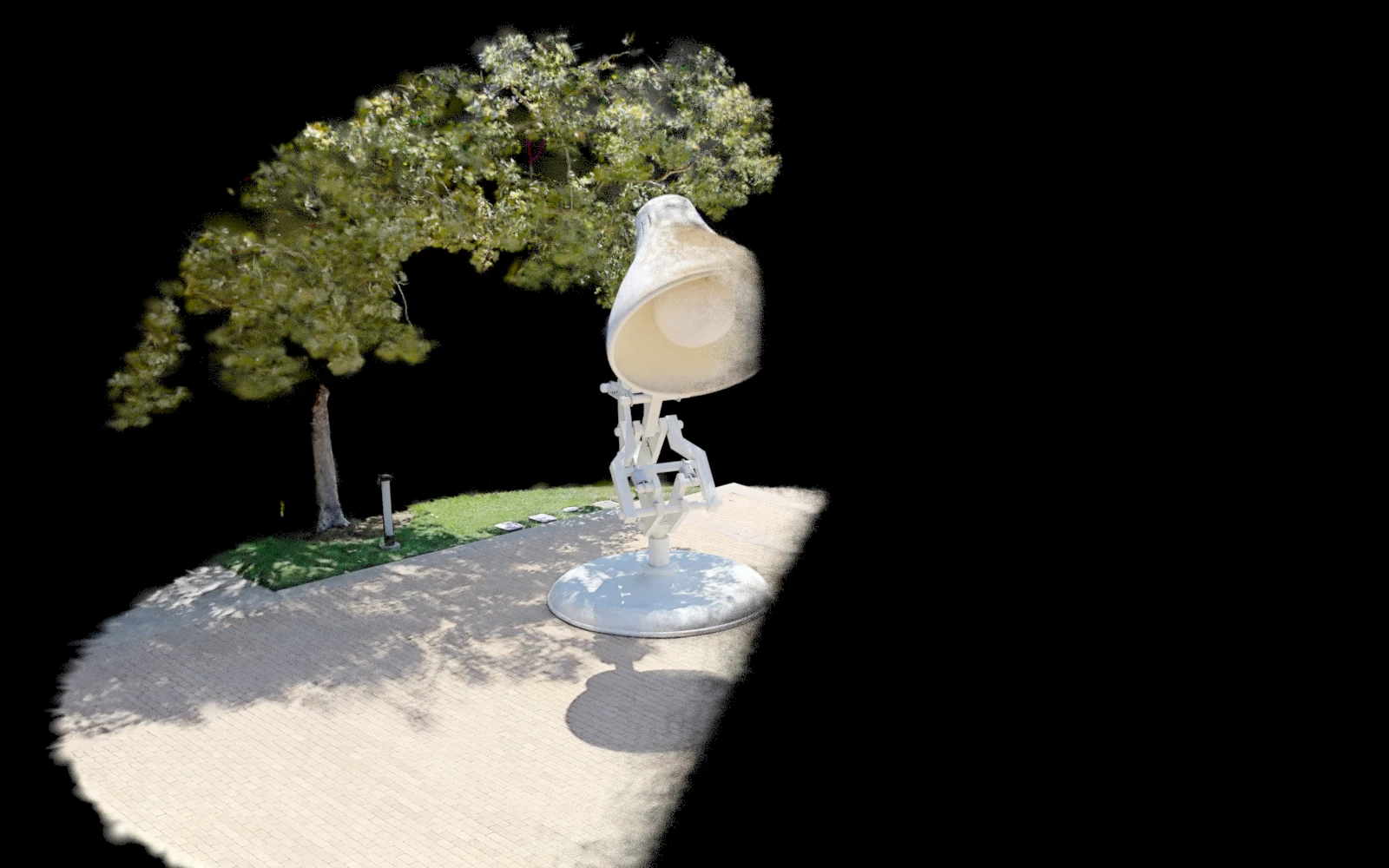
Attribute Adjust Float reduces opacity across the scene, along Z. Fade Start and Fade End bracket the transition; the Side Fade ramp shapes it. The fade is set up to give a clear side-to-side fade from the final camera.
The close-ups make the changes easier to see. Wobble moves the splat centers. Tiny Splats changes their coverage. Both can expose gaps in the capture, and both preserve its color. Try one small change at a time.
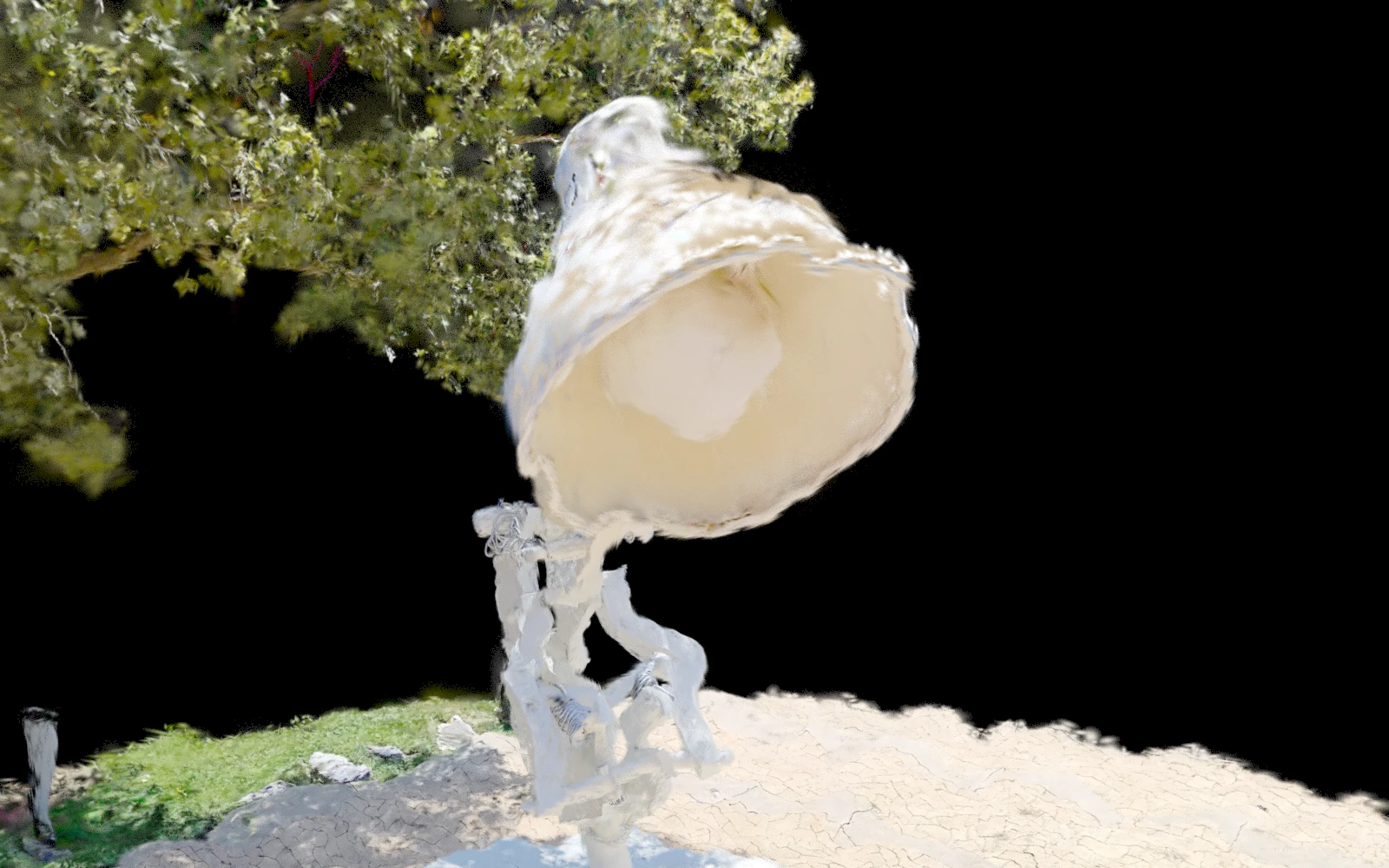
Splats can be manipulated like points
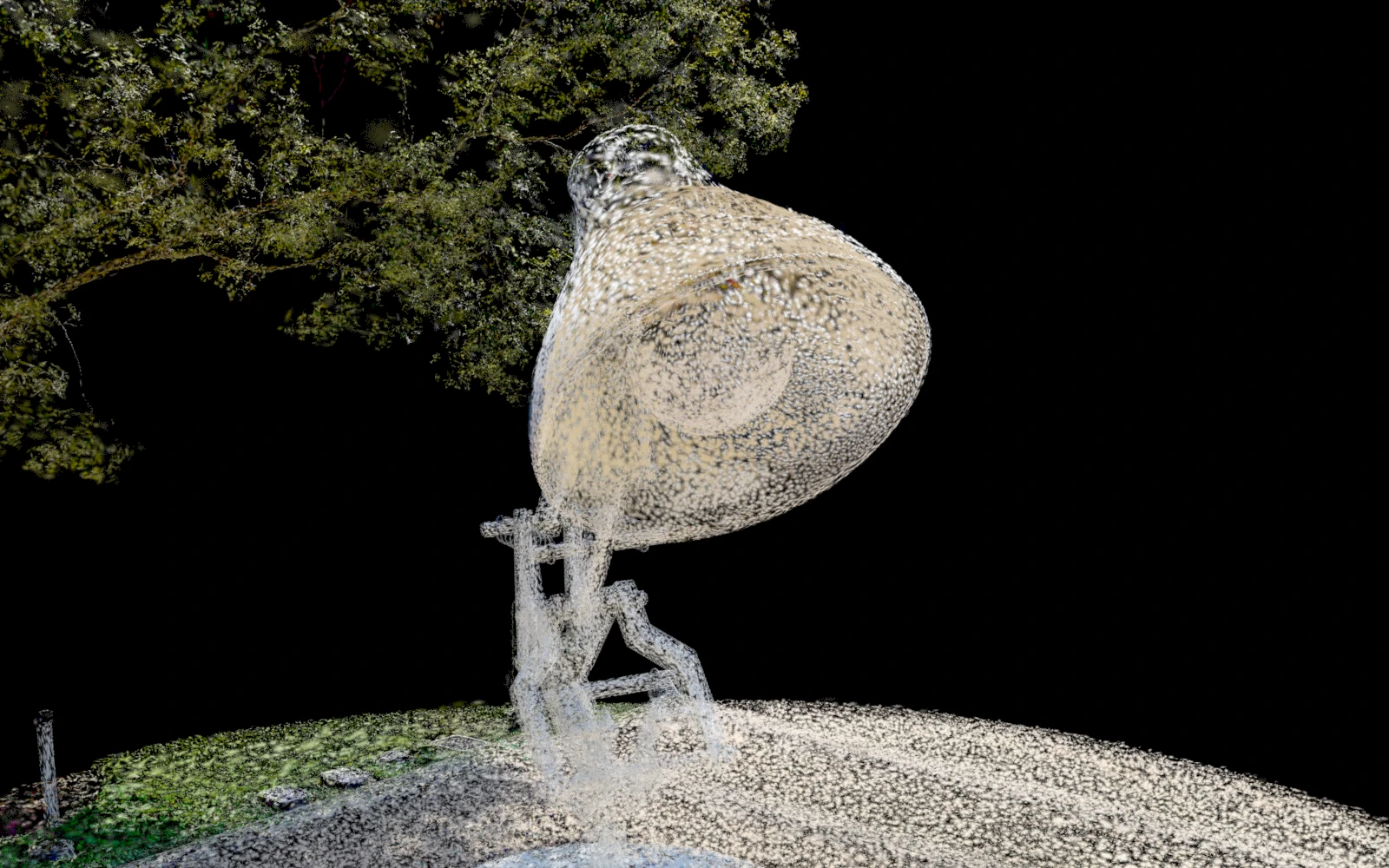
Visualize density of captured data.
Tested with Houdini 22.0.429 and RenderMan 28.0b1, XPU CPU. The scene contains 1,256,332 splats, uses standard nodes, and references the USD through $HIP.
Have your own PLY file? Try it out. A conversion script is included and reads standard, uncompressed 3D Gaussian splat PLY files and writes a native ParticleField3DGaussianSplat at /scan. It preserves spherical-harmonic color data, converts stored log scales and opacity values, and leaves the input file unchanged. Once converted, just drop it into the example scene. See README for more information.
Gaussian splats are still new territory for VFX, and one particularly interesting direction is stylization. Here, the full Pixar campus scan has been pushed toward a painterly image simply by manipulating the splat data in Houdini and rendering it with RenderMan.
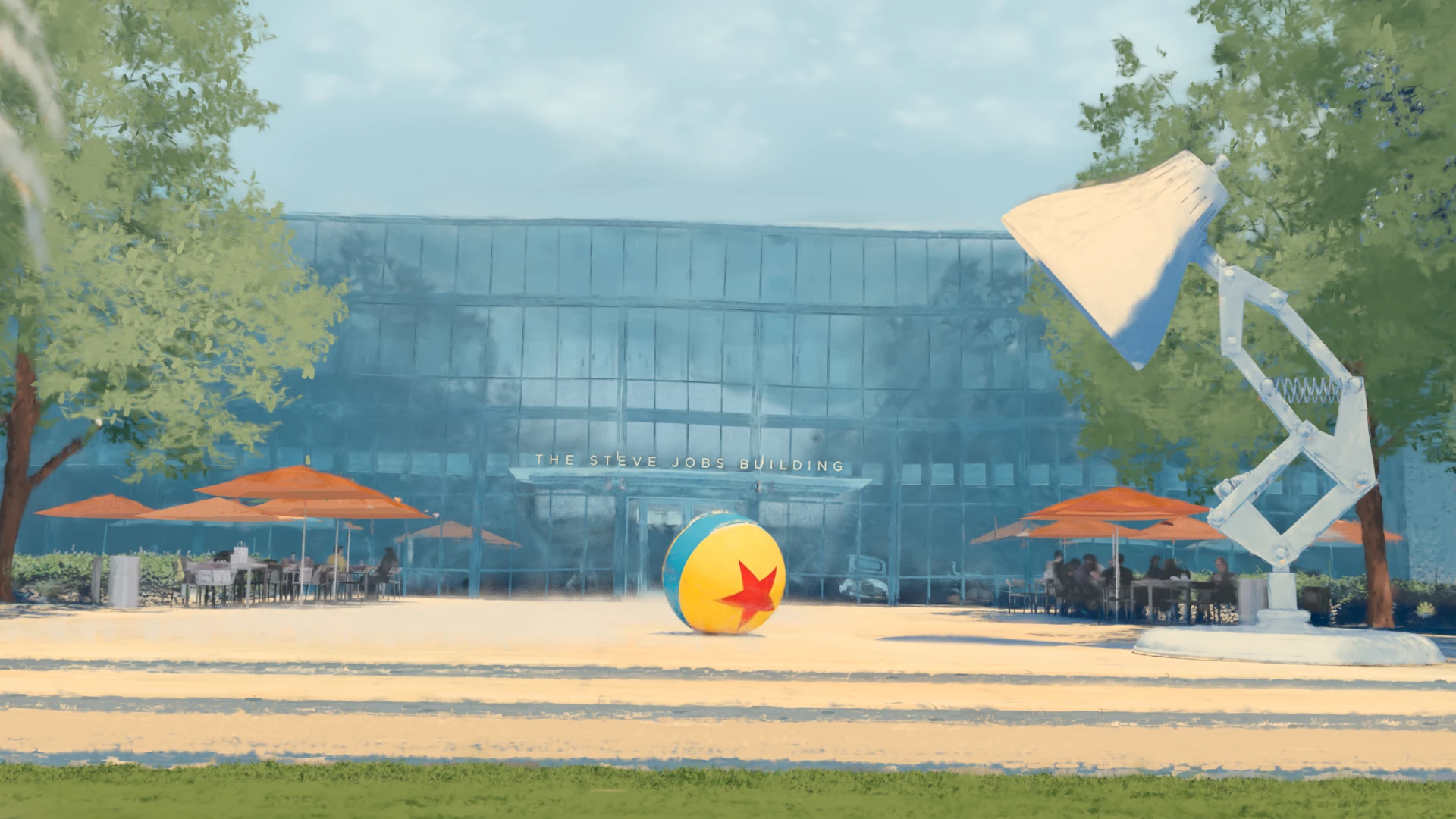
Painterly splats by Dylan Sisson
Dylan Sisson is an artist, designer, and Head of RenderMan Creative Engagement at Pixar Animation Studios. Since joining Pixar in 1999, he has worked closely with RenderMan across every Pixar feature since Monsters, Inc. His work explores the intersection of art and technology, with a particular interest in stylized rendering, emerging creative tools, and artist-centered workflows. He is also the creator of Pixar’s RenderMan Walking Teapot.
Kosmo is a Spatial Camera that captures real-world places and objects as detailed 3D Gaussian Splats. It makes it possible to quickly bring physical environments into a digital 3D workflow, preserving their appearance and spatial detail for rendering, visualization, and creative experimentation.
Learn More
This project is property of Pixar. By downloading the project files you agree to the terms of use as defined in the EULA for RenderMan Models.